

What you will build
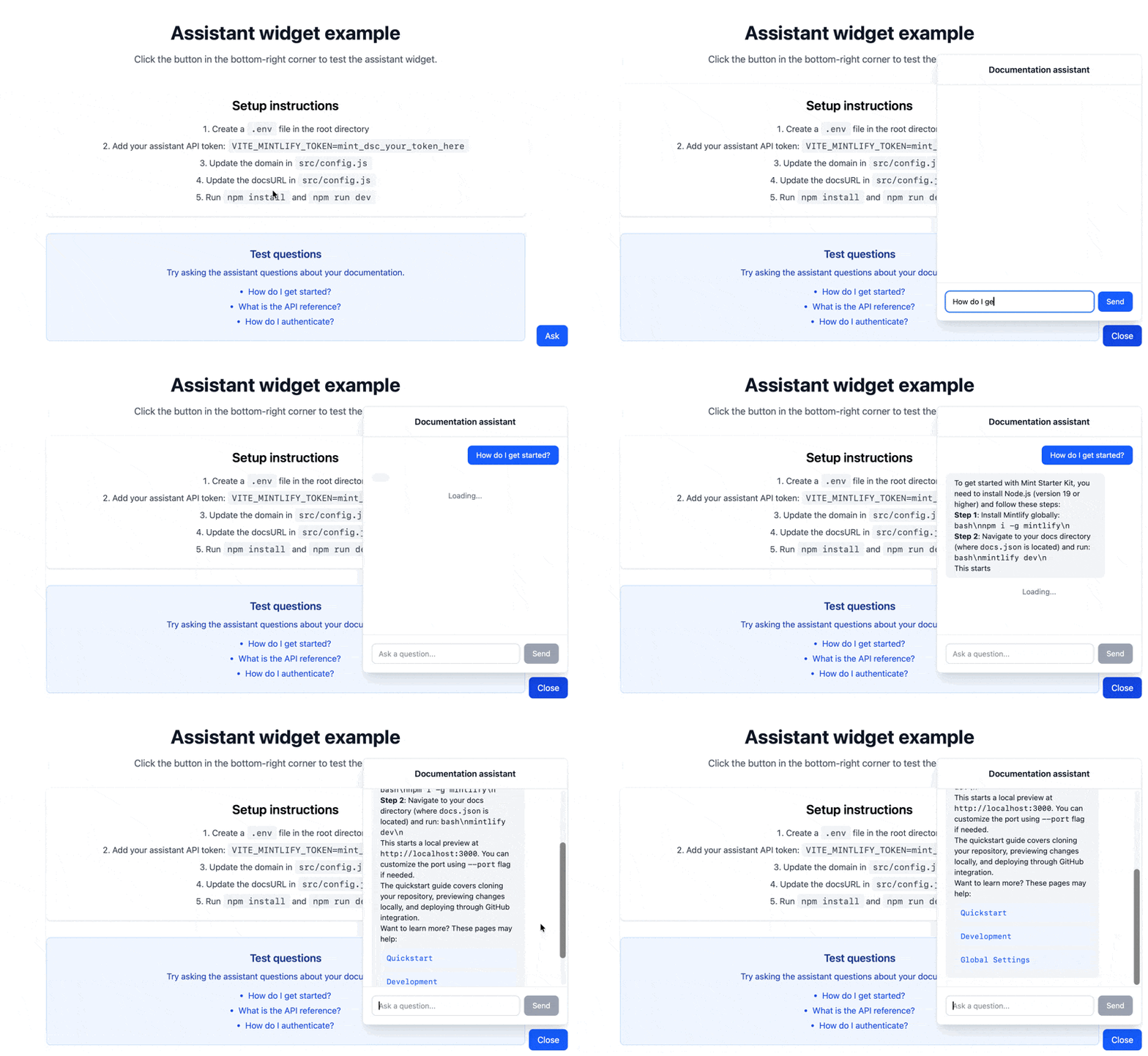
A reusable widget that embeds the assistant directly in your application. The widget provides:- A floating button that opens a chat panel when clicked
- Real-time streaming responses based on information from your documentation
- Message rendering with Markdown support
Prerequisites
- The Mintlify assistant enabled
- Your domain name, which appears at the end of your dashboard URL. For example, if your dashboard URL is
https://app.mintlify.com/org-name/domain-name, your domain name isdomain-name - An assistant API key
- Node.js v18 or higher and npm installed
- Basic React knowledge
Get your assistant API key
- Navigate to the API keys page in your dashboard.
- Click Create Assistant API Key.
- Copy the assistant API key (starts with
mint_dsc_) and save it securely.
Your assistant API key controls access to your assistant quota. This tutorial keeps the key server-side using a backend proxy so it never reaches the client bundle.
Set up the example
Clone the example repository and customize it for your needs.Choose your development tool
The repository includes Next.js and Vite examples. Choose the tool you prefer to use.
Configure your project
Open Replace:
src/config.js and update with your Mintlify project details.src/config.js
your-domainwith your Mintlify project domain found at the end of your dashboard URL.https://yourdocs.mintlify.appwith your actual documentation URL.
Set up your API key
Store your assistant API key as a server-side environment variable. Avoid the Replace
VITE_ prefix, which bundles the value into your client code:.env
mint_dsc_your_token_here with your assistant API key.Then add a backend route (for example, /api/assistant) to proxy requests to the Mintlify API:- Accept the user’s message from the widget.
- Attach the
Authorization: Bearer $MINTLIFY_TOKENheader and forward the request tohttps://api.mintlify.com/discovery/v1/assistant/{domain}/message. - Stream the upstream response back to the client unchanged, so token streaming and
X-Thread-Id/X-Thread-Keyheaders reach the widget. - Point the widget’s
apioption at your backend route instead of the Mintlify API directly.
Customization ideas
Source citations
Extract and display sources from assistant responses:Track conversation threads
Store thread IDs and thread keys to maintain conversation history across sessions. When a user creates a new conversation thread, the server returns two values in the response headers:X-Thread-Id: The thread identifierX-Thread-Key: A secret key for the thread (only returned once, when the thread is created)
threadId and threadKey in the request body. If you send a threadId without the corresponding threadKey, the server returns a 404 error.